


Take Sticky Notes Anywhere, Instantly — Without Breaking Your Flow.
Add sticky notes directly on any webpage — no more switching tabs, losing ideas, or breaking focus. Sticky Notes Anywhere is a free Chrome extension that helps you capture thoughts, tasks, and ideas right where they appear.
📝 Meeting Notes
Remember to follow up on the proposal by Friday
💡 Ideas
Add dark mode support
✅ Todo
Review code changes for the new feature
🔗 Links
docs.example.com

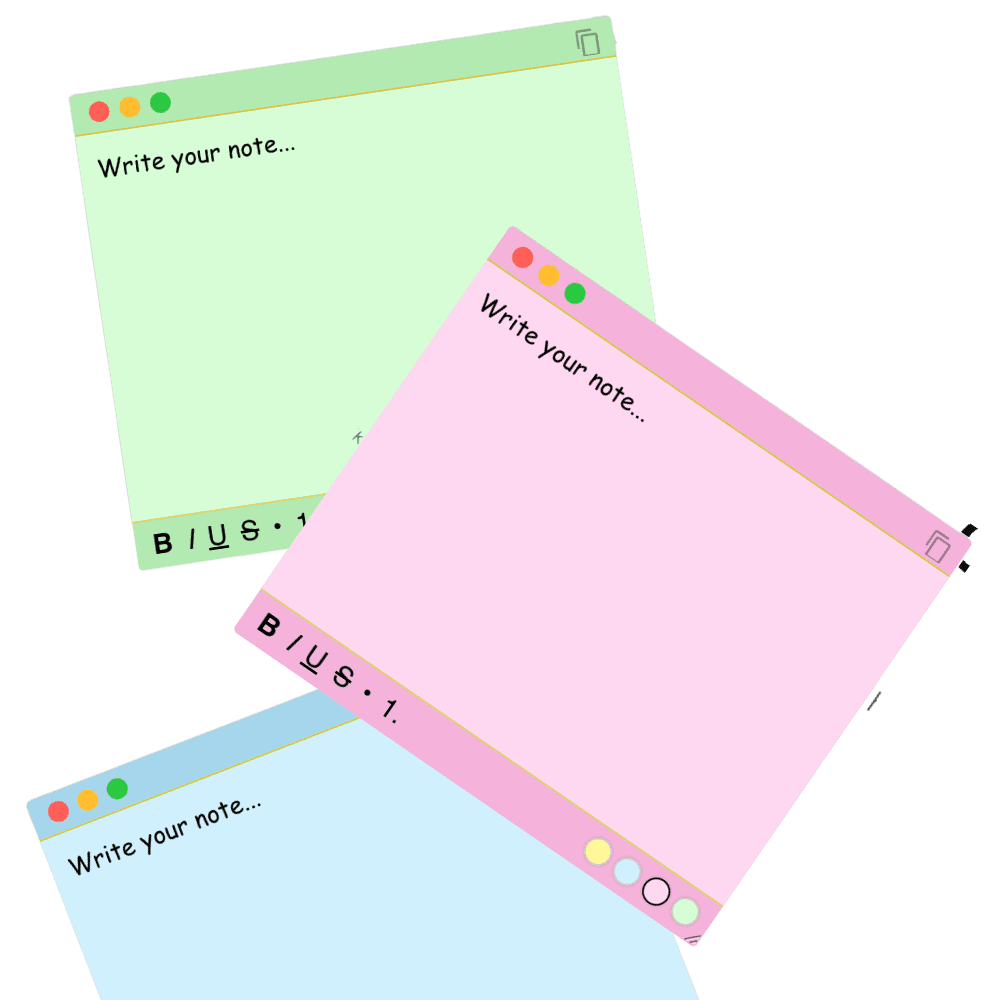
Note-taking shouldn't interrupt your thinking. But it always does.
Ever tried taking a quick note while working, researching, or watching a tutorial?
You open a note-taking app, and suddenly:
- 😣Your current tab disappears
- 🤯You scramble between windows and apps
- 😵You forget what you were writing
- 😤And that brilliant thought… gone
Sticky Notes Anywhere changes that.
It's a Chrome extension for taking notes directly on webpages, so your ideas stay where they appear — right in the flow of your work.
Sticky notes that live on any webpage — like magic.
Take notes on top of your browser like real Post-its. No switching apps, no juggling windows—just fast, focused browser sticky notes that stay exactly where inspiration strikes.
Create unlimited draggable sticky notes
Drop as many notes as you need on any website. Drag, resize, color-code, and format with bold/italic/lists + emojis—perfect for tasks, ideas, and quick reminders while you work.
Always stay on top of your current tab
Notes float above the page so you never lose them while scrolling or switching sections. Keep references visible during tutorials, research, shopping, or writing—no broken focus.

Minimal UI designed for clarity and flow
Zero clutter. A familiar sticky-note window with simple controls and handy shortcuts. Opens instantly, stays out of the way, and keeps web page sticky notes lightweight and fast.
Notes persist between sessions
Close the tab, come back later—your notes are right where you left them. Auto-save survives reloads and revisits per page and domain, so ideas don’t disappear.
Start local. Sync everywhere the moment you sign in.
Sticky Notes Anywhere works instantly with zero setup — no account required. When you're ready, sign in and every note syncs automatically in the background: same content, same colors, even the same spot on the page, across all your devices.
- ☁️Automatic background sync — no “save” button, ever
- 📍Notes keep their exact position, size & color on every device
- 🖥️A web dashboard to search, organize & export everything
- 📴Works offline — changes sync the moment you’re back online
📝 Meeting notes
🔗 Research links
💡 Ideas
✅ Todo
🛒 Shopping
📌 Reminders
🎨 Design feedback
📞 Call notes
Real-Life Use Cases That Fit Right Into Your Day.
Sometimes you just need a quick note while browsing, researching, or on a call — but traditional apps aren't built for in-the-moment thoughts.
Sticky Notes Anywhere sits on top of the page so ideas stay anchored to context. Here's how people use these browser sticky notes every day:
Pin Notes Over Video Calls
Toggling between Zoom and docs is messy. Keep talking while your sticky notes stay visible on top of the browser — even during screen shares.

Stay Focused While You Learn
Reading articles, comparing sources, or watching tutorials? Add notes next to the content — no switching tabs or opening another app.

Save Ideas On the Fly
Quick snippets, CSS ideas, or client feedback — capture everything without breaking your creative flow. Notes stay right where you need them.

Capture Quick Reminders Instantly
Jumping from tasks to chats to dashboards? Drop fast reminders over any tab so you don’t lose your place or forget the next action.

Sketch Thoughts As They Come
Ideas don’t wait for apps to load. Jot them down the moment they hit. Brainstorm freely without disrupting your inspiration or workflow.
Here's How You Can Start Using Sticky Notes Anywhere
No sign-up, no extra tabs, no app switching. Sticky Notes Anywhere runs inside your browser—so you can go from “just browsing” to organized and productive in under 30 seconds.
Install the Extension
Click Add to Chrome (or your browser of choice). No login, no fluff—just a lightweight sticky notes Chrome extension ready to go.
Add to Chrome — It's Free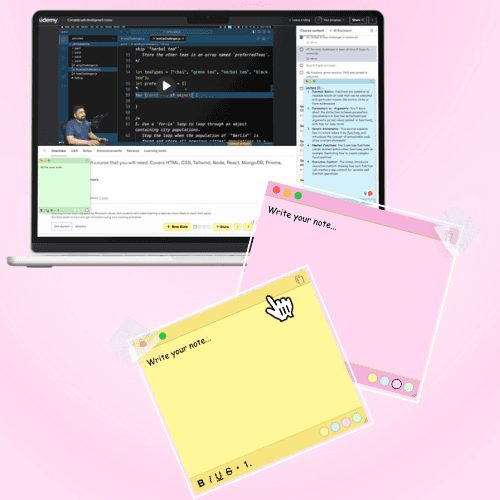
Open Any Webpage
Head to YouTube, Notion, Canva, a client portal—wherever you work. 📌 Notes float on top of the page without pushing anything around, so your view stays clean.
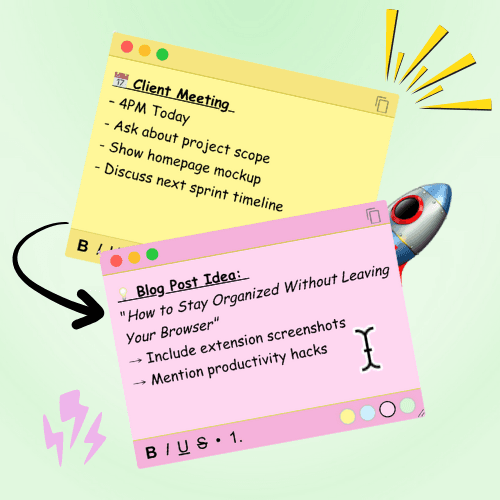
Start Jotting Instantly
Hit “+” to create a note. Write, drag, resize, minimize—do your thing. 📝 Your notes persist across reloads and revisits, exactly where you left them.
📝 Meeting notes
🔗 Research links
💡 Ideas
✅ Todo
🛒 Shopping
📌 Reminders
🎨 Design feedback
📞 Call notes
Sign In to Sync in the Cloud
Want your notes on every device? Sign in once and everything syncs automatically to your dashboard — same notes, same colors, same spots. ☁️ Works offline too; changes sync the moment you’re back online.
Open Your DashboardSee Why Traditional Note Apps Just Don't Cut It
Traditional note apps weren't built for speed or spontaneity. Whether you're researching, coding, or in a client meeting, switching tabs to jot something down kills your momentum. Sticky Notes Anywhere lets you take notes directly on any webpage, keeping your focus — no tab hopping, no lost ideas, no friction. And now it syncs across your devices too, so nothing gets left behind on one machine.
| Feature | Best pickSticky Notes Anywhere | Google Keep | Notion | OneNote |
|---|---|---|---|---|
| Works on top of any webpage | ||||
| Notes pinned in context, on the page | ||||
| No window or tab switching | ||||
| Zero setup — start in one click | ||||
| Simple, fast, distraction-free UI | ||||
| Auto-saves instantly | ||||
| Cloud sync across your devices | ||||
| Works offline, syncs when you’re back | ||||
| Free — no paywall for core features |
See What Our Early Users Are Saying
Even in its early stage, Sticky Notes Anywhere has started changing how people think about note-taking. Here's what some of our early adopters are saying after using it for a few days.

Masfa Zulfiqar
UI/UX Designer

My creative chaos finally feels organized.
I drop quick thoughts while browsing client websites. Sticky Notes Anywhere keeps all those tiny design ideas visible when I return later.

Akhlaq Ahmed
Developer
Coding notes, right where I need them.
I use it to log quick fixes and debug tips while reading docs. Super light and saves me from losing track.

Hasnain Sethar
SEO Expert & Content Writer
Researching and note-taking made seamless.
Perfect for saving keyword ideas and competitor notes while browsing. Keeps my research structured without juggling between tabs.

Humaid Khan
Product Designer
Makes my design workflow effortlessly organized.
Now I capture UX notes instantly during design feedback. No more switching apps — everything stays right on the page I’m working on.
We've Got the Answers You Might Be Looking For
We've gathered the most common questions about Sticky Notes Anywhere below. If you're still unsure, reach out — we love helping users make the most of their digital workspace.
The easy way: add it from the Chrome Web Store in one click — no setup, no sign-up. Prefer to load the latest build manually? Download the ZIP, extract it, open chrome://extensions, enable Developer Mode (top right), click Load Unpacked, and select the extracted folder.
Yes! Every note auto-saves locally, so it reappears right where you left it — no account needed. And if you sign in, your notes also sync automatically across all your devices.
Yes — Sticky Notes Anywhere is live on the Chrome Web Store, so you can add it in one click and get updates automatically. Prefer to install the latest build manually? You can still load the ZIP via Developer Mode.
Yes — it’s completely free. Every core feature is included, including cloud sync and the web dashboard, with no paywall or subscription. If that ever changes, existing users will always keep a generous free tier.
Not at all. Sticky Notes Anywhere is built to be lightweight and performance-optimized. It runs silently in the background and won’t affect your browser speed or memory usage.
By default, your notes live in your browser’s local storage — nothing leaves your device, zero tracking. Choose to sign in and they sync securely to your own private account (protected by row-level security) so you get them on every device. Either way, your notes stay yours.
Yes. Sign in and your notes sync to your account automatically — open any device and they’re there, in the same spot, with the same colors and content. You can also view, search, organize, and export everything from your web dashboard.
Absolutely! You can style your notes with bold, italic, underline, bullet lists, emojis, and colors. Make your workspace reflect your personality — fun and functional.
We'd Love to Hear Your Feedback & Ideas
Sticky Notes Anywhere is built for people like you — and we want to keep making it better.
More free tools
Built to help you ship faster — all free, no sign-up.
WordPress Cost Calculator
Answer 5 quick questions and get an instant, honest price range for your WordPress website — built from my real, published pricing. Live estimate, full breakdown, no sign-up.
LinkedIn Text Formatter
Turn plain text into bold, italic, and stylish Unicode fonts that stand out in the LinkedIn feed. Live preview, one-click copy — no sign-up.
LinkedIn Character Counter
Count your text against the real limit for every LinkedIn field — post, headline, About, comment, connection note and more. Live count, over-limit warning, and the “…see more” hook preview. No sign-up.
LinkedIn Post Preview
See exactly how your post will look in the LinkedIn feed before you publish — desktop, tablet & mobile, with your photo, an image and the “…see more” cut. Download it as an image. No sign-up.
LinkedIn Hashtag Generator
Enter a topic or paste your post and get relevant LinkedIn hashtags grouped by reach — mix broad and niche for the best of both. One-click copy, no sign-up.