
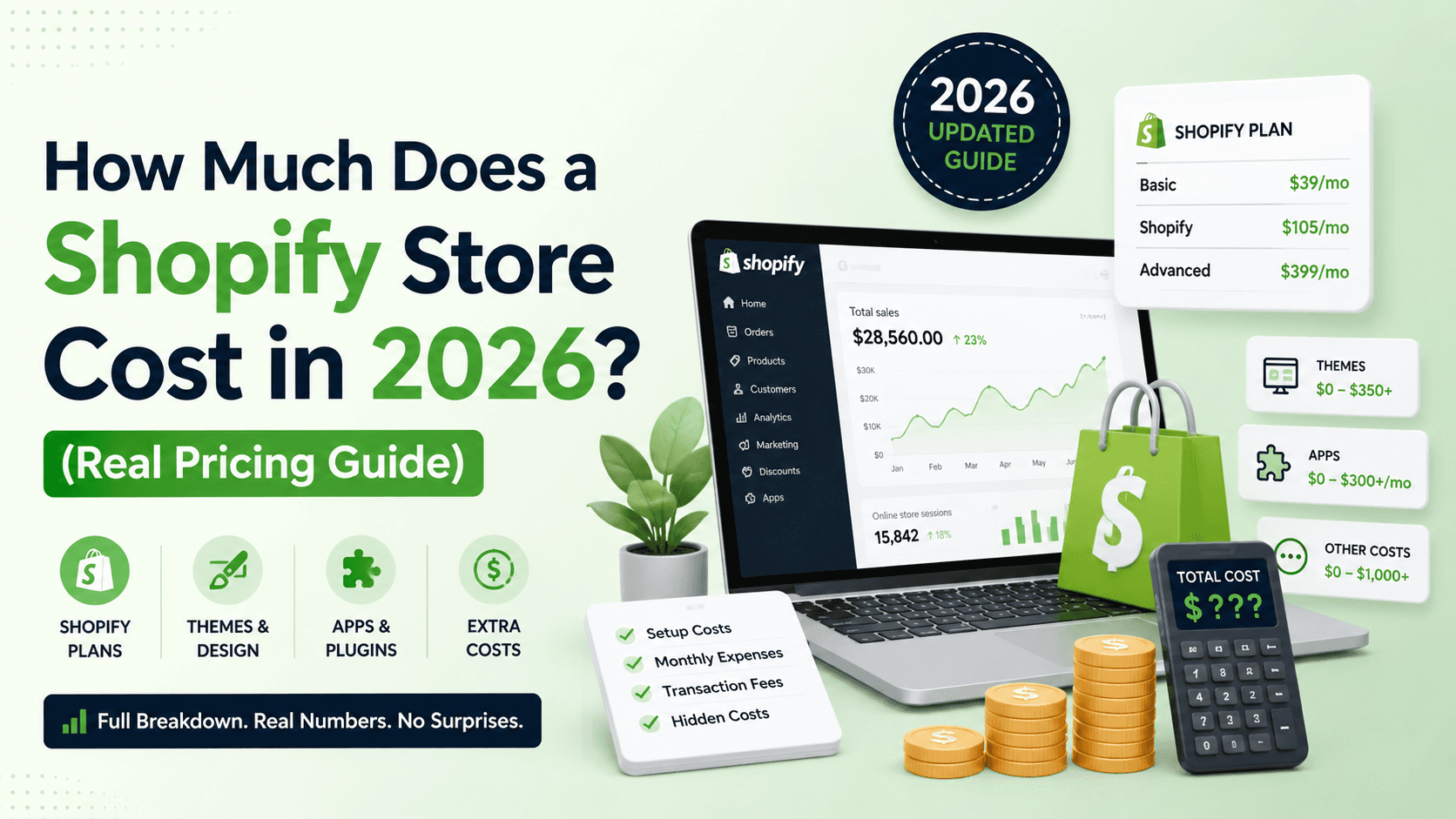

Quick answer: A Shopify store has three cost layers most guides skip: (1) the Shopify subscription — from $25/mo (Basic) to $399/mo (Advanced), paid to Shopify forever; (2) apps and a theme — roughly $0–$200+/mo in apps plus a $0–$400 one-time theme; and (3) the store build — DIY (free but slow), or a developer from about $1,200 for a proper setup. So a real-world small store runs ~$25–$90/month ongoing plus a one-time build, while a DIY basic store can start at just the $25/mo plan. Below is the honest breakdown.
I build Shopify stores. Here's what they actually cost.
Hey, I'm Salman — I've built 120+ websites, and a good number of those are Shopify stores. The question I get most is "how much does a Shopify store cost?" — and the honest answer is that it's not one number, it's three: what you pay Shopify every month, what you pay for apps and a theme, and what you pay to actually build it. Miss any of those and your budget is wrong.
Most "Shopify cost" articles quote you the $25 plan and stop there. That's like saying a car costs the price of the key. Let me break down all three layers so you can budget properly — then I'll show you my own transparent pricing.
The Short Answer: Shopify Store Pricing in 2026
Here's the big picture before the details — the one-time build cost, separate from the ongoing Shopify fees:
| Store Type | Build Price Range | Best For |
|---|---|---|
| DIY (you build it) | $0 + your time | Very tight budgets, testing an idea |
| Starter store (theme-based, 10–30 products) | $1,200 – $3,500 | Small brands launching properly |
| Custom store (bespoke design, large catalog) | $4,000 – $10,000+ | Growing brands that need to stand out |
| Agency / Shopify Plus build | $15,000 – $50,000+ | Enterprise & high-volume stores |
These are the build ranges I see across the market. My own pricing sits in the freelancer band because you work directly with me — no agency overhead. But the build is only one of the three layers, so let's cover all of them.
Layer 1: The Shopify Subscription (the cost that never stops)
Unlike a WordPress site — where you own the software — Shopify is a hosted platform you rent monthly. This is the cost people forget to budget for. Approximate plans (Shopify adjusts these, and annual billing is cheaper):
| Plan | Monthly price (USD) | Good for |
|---|---|---|
| Starter | $5/mo | Selling via social/links, no full store |
| Basic | $25/mo ($19 billed annually) | New and small stores |
| Grow | $65/mo ($49 annually) | Growing stores (lower fees) |
| Advanced | $399/mo ($299 annually) | Scaling stores, advanced reports |
| Plus | from $2,300/mo | Enterprise / high volume |
The subscription includes hosting, SSL, and security — so unlike WordPress you won't pay separately for those. Most small brands start on Basic ($25/mo, or $19/mo billed annually) and upgrade to Grow or Advanced only when sales volume justifies the lower transaction fees. (Shopify runs a "3 days free, then $1/month for 3 months" intro offer for new stores.)
Watch the transaction fees: if you use Shopify Payments, you just pay standard card-processing rates with no extra platform fee. If you use a third-party payment gateway (like PayPal-only setups or regional processors), Shopify adds a per-sale fee that scales by plan — 2% on Basic, 1% on Grow, 0.6% on Advanced, and 0.2% on Plus. On volume, that adds up, so it's worth choosing your plan and gateway around it.
Layer 2: Theme & Apps
Out of the box Shopify is capable, but most stores add a theme and a few apps.
Theme
Shopify has solid free themes (Dawn is genuinely good). Premium themes are a one-time $200–$400. You don't need a paid theme to launch — a well-configured free theme looks great — but premium themes save setup time and add features.
Apps
Apps are where Shopify budgets quietly balloon. Reviews, email/SMS marketing, upsells, subscriptions, advanced shipping, page builders — each is typically $0–$50/mo. Three or four essential apps can easily add $50–$150/month on top of your plan. My advice: launch with only the apps you truly need (reviews, email, maybe one upsell app) and add more once you have sales to justify them. Every app is a recurring cost and a potential speed hit.
Layer 3: The Store Build (design & development)
This is the one-time cost to actually set the store up properly — and where the DIY-vs-hire decision lives.
DIY
Shopify is built for DIY, and you can launch a basic store yourself for just the subscription. The trade-off is time and polish: theme configuration, product setup, payment/shipping settings, and conversion details (which most first-timers miss) all take real hours to get right.
Hiring a developer
A developer gets you a store that's designed to convert, set up correctly, fast, and ready to sell — not just live. For a proper theme-based store with product setup, payment integration, and checkout optimization, I start at $1,200. Fully custom design and large catalogs scale from there. You're paying for the difference between "a store exists" and "a store that sells."
What Actually Affects the Cost of a Shopify Store?
1. Number of products
A 15-product store is far quicker to set up than a 500-SKU catalog with variants, bulk uploads, and collections. Product count and complexity are the biggest drivers of build time.
2. Design: theme vs custom
Configuring a premium theme to your brand is efficient. A fully bespoke design with custom sections and interactions costs more but makes you stand out in a sea of default-Dawn stores.
3. Apps & custom functionality
Subscriptions, bundles, advanced filtering, loyalty, multi-currency — some are off-the-shelf apps, others need custom work. The more bespoke logic, the higher the cost (and the more ongoing app fees).
4. Migration
Moving from WooCommerce, Wix, or another platform adds cost — products, customers, orders, and URLs all need migrating carefully so you don't lose SEO or data.
5. Speed & conversion optimization
A slow store leaks sales. Proper image optimization, a lean app stack, and a fast theme should be standard — I build every store to load fast, because speed directly affects conversions and SEO.
Shopify vs WooCommerce: Which Is Cheaper?
The honest answer: it depends on how you count. Shopify has a predictable monthly fee but you're renting; WooCommerce (on WordPress) has no platform fee but you pay for hosting, security, and more setup. Rough comparison:
| Shopify | WooCommerce (WordPress) | |
|---|---|---|
| Platform fee | $25–$399/mo | $0 (but you pay hosting) |
| Hosting/SSL | Included | ~$10–$50/mo separately |
| Ease of setup | Easier, faster to launch | More flexible, more setup |
| Best for | Straightforward product stores | Content-heavy or highly custom stores |
If you want simplicity and speed to launch, Shopify wins. If you need deep customization or already run a WordPress site, WooCommerce is the better fit — I cover that side in my WordPress website cost guide. Already on Wix, Squarespace, or another platform and want to move? That's a WordPress migration — done carefully so you keep your products, data, and SEO. I build both, so I'll give you a straight recommendation for your situation, not a one-size-fits-all pitch.
Hidden & Ongoing Costs to Watch
— Domain
$10–$20/year for a .com. Buy it yourself so you own it; you can point it to Shopify easily.
— Transaction fees
Standard card rates via Shopify Payments, plus an extra 0.2–2% (scaling down by plan) if you use a third-party gateway. Factor this into your margins.
— App subscriptions
The quiet monthly creep. Audit your apps every few months and cut the ones you're not using.
— Ongoing management
Product updates, seasonal changes, app maintenance, and conversion tweaks. If you'd rather not do it yourself, that's what my Shopify store management service is for.
What I Charge for Shopify Store Development
Transparent pricing, no surprises. This is the one-time build cost (your Shopify subscription and apps are separate, paid to Shopify):
| Package | What's Included | Starting Price |
|---|---|---|
| Starter Store | Theme-based store, up to ~30 products, payment + shipping setup, mobile-optimized, basic SEO | From $1,200 |
| Growth Store | Custom-designed sections, larger catalog, app integration, conversion & speed optimization | From $1,700 |
| Migration | Move your store from WooCommerce/Wix/Squarespace to Shopify — products, data & SEO preserved | From $900 |
| Monthly Management | Product updates, app upkeep, speed monitoring, conversion tweaks | $200/mo |
Every project starts with a free discovery call — I learn your goals, product range, and budget, then send a custom quote within 48 hours. I work with clients internationally and accept USD, GBP, EUR, CAD, and PKR via Payoneer and Wise. Ready to start? See my Shopify store development service or book a free call.